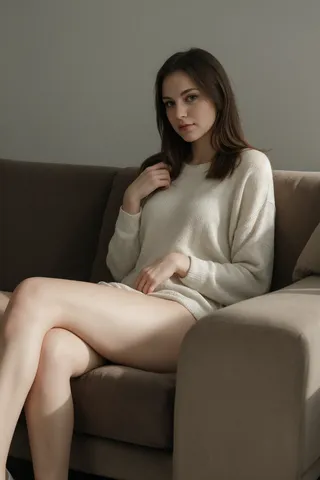
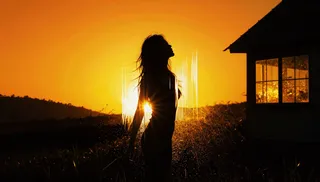
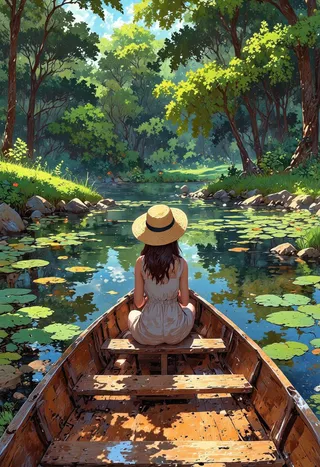
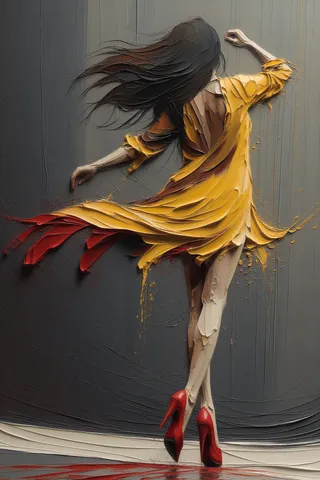
AniVerse XL - v1.0
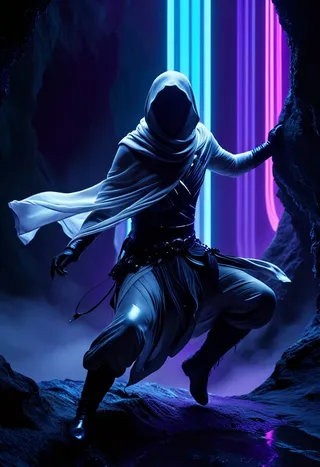
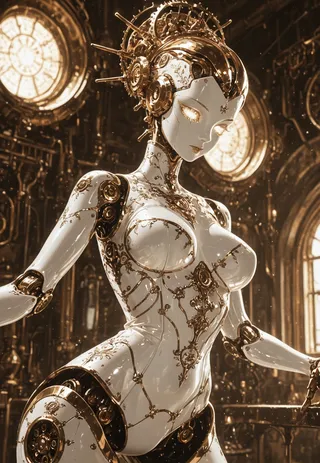
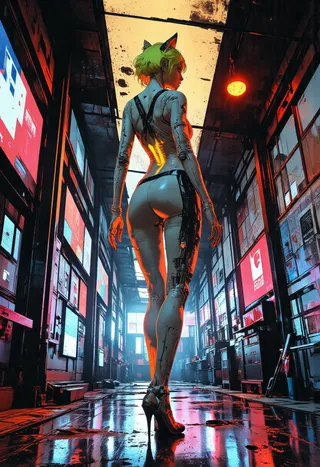
Highlighted images
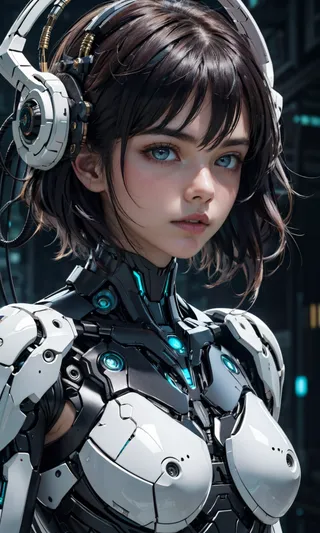
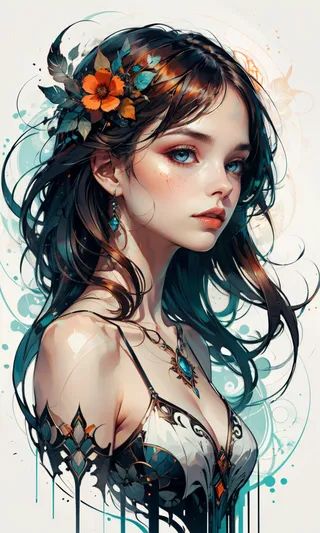
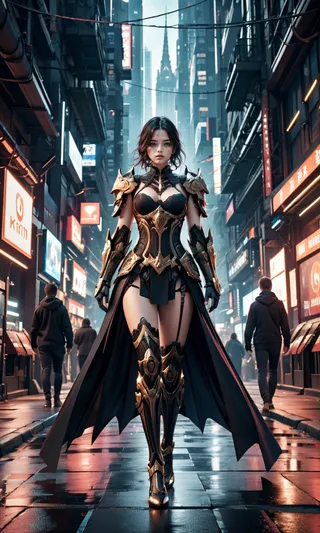
Recommended Prompts
(Type of Shoot), (Subject), adult, description, (background), more details, depth of field, dynamic angle, fashion photography, sharp, hyperdetailed:1.15, 4n1v3rs3
Portrait, Zelda, adult, cute, seductive, innocent, light smile:0.3, plump lips, slender body, ankle-length pink dress, jeweled tiara, golden shoulder pads, gold chain as necklace, vibrant, fantasy, epic, heroic, cave background, depth of field, dynamic angle, fashion photography, sharp, hyperdetailed:1.15, 4n1v3rs3
4n1v3rs3, zPDXL2, (Style of the image), your subject, the description, (background), more details
4n1v3rs3, zPDXL2, (Anime 2.5D style), Rei Ayanami, wearing white EVA bodysuit, (sunrise background), masterpiece, high details
4n1v3rs3, zPDXL2, (Analog photo by Rutkowski), (Hindu young man), 25 years old, (elaborate ancient Hindu temple ruins background), (midnight hour, high quality, film grain), focus on orange and green
4n1v3rs3
Recommended Negative Prompts
worst quality:1.4, low quality:1.4, front light, grayscale, ugly, fat, wide hips, curvy, child, young, kid, bad hands, interlocked fingers, extra finger, missing finger, fused fingers, bad anatomy
unaestheticXL_bp5, zPDXL2-neg, moles, freckles, ugly, artifacts
unaestheticXL_bp5
Recommended Parameters
samplers
steps
cfg
clip skip
resolution
vae
other models
Recommended Hires (High-Resolution) Parameters
upscaler
upscale
steps
denoising strength
Tips
Excessive negative prompts can worsen creations; follow suggested negative prompts.
Try generating images without LoRA first to explore model capability.
Use Adetailer extension with this model for enhanced detail.
Avoid sampler + scheduler combinations: Euler a + Uniform, Euler_max + SGM Uniform, DPM++ 3M SDE + Exponential, DPM++ 2M SDE + Exponential.
For low VRAM, use command line args like --medvram-sdxl or --lowvram but expect slower generation.
In A1111 interface, enable xFormers or SDP Attention for optimization based on your hardware.
Version Highlights
You can find my model in MAGE:
https://www.mage.space/play/d3699ef7c4a6e852e7e51e6755dffb13
->
Surpriiiiiise!!!
As they say: better late than never!
First of all:
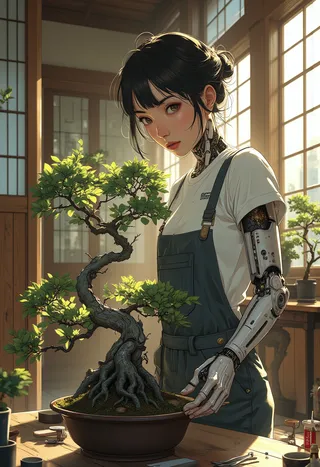
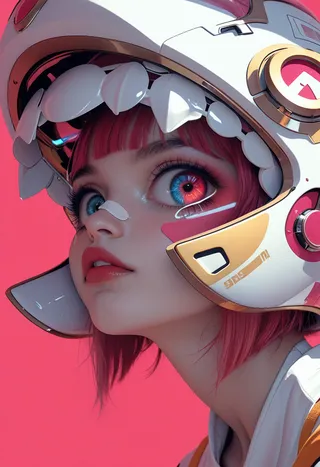
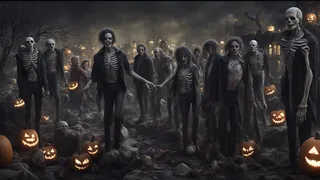
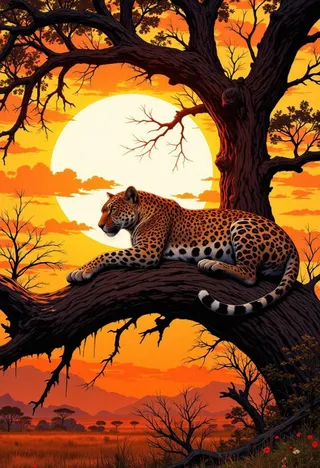
The images in the main gallery are divided as follows:
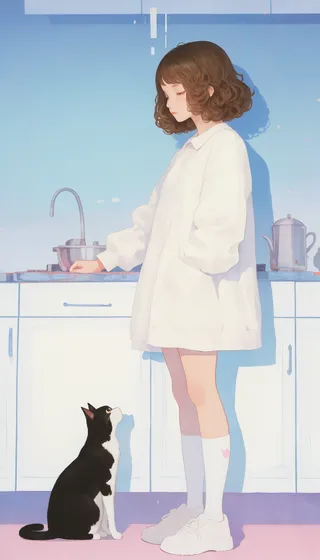
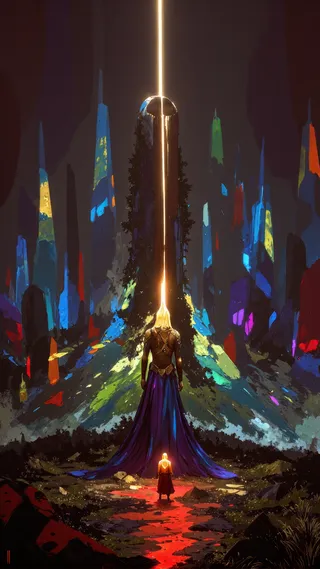
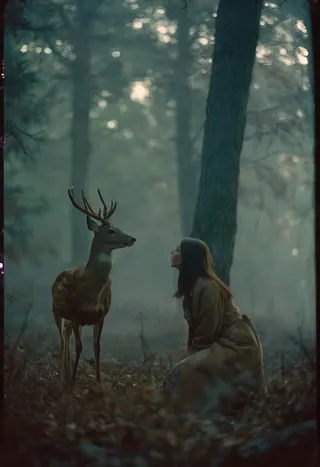
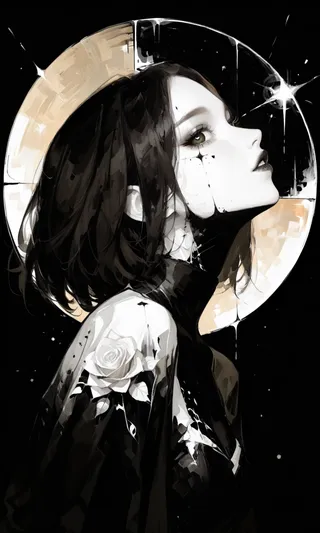
I created the first 8 images
The rest are made by nuaion, who is much better than me!
Now, let's jump straight into the possible questions and answers to clear up any doubts:
Q) Have you finally bought the new PC?
A) No, I'm still saving money to buy it, as I mentioned before, I hope to get it by the end of 2024 or early 2025. This is the PC I want to build: https://www.amazon.it/hz/wishlist/ls/371J30CMA0EC5/ref=nav_wishlist_lists_2 As always, if you'd like to help me with this project, you can donate on my Ko-Fi page: https://ko-fi.com/samael1976
Q) So how did you manage to create a trained model of SDXL?
A) It was tough, but after countless attempts (not exactly a million, but really many), I managed to get the SDXL training to work on a 2060 with 12GB of VRAM.
For more details, here’s the link to my article: https://civitai.com/articles/5672/how-to-train-a-sdxl-style-with-only-12gb-of-vram-rtx-2060-onetrainer
Q) Will you stop training for Stable Diffusion 1.5 now?
A) Not at all. As far as I'm concerned, Stable Diffusion 1.5, despite its limitations, remains a little gem. Sure, projects involving Stable Diffusion 1.5 will be delayed, but for now, I have no intention of stopping the creation of models for Stable Diffusion 1.5.
Q) This model is not like AniVerse for SD 1.5
A) You’re absolutely right! I thought a lot about whether to name it AniVerse XL or something else. In the end, I chose AniVerse XL because this first model is just an "alpha test."
Think of it this way: to create the true AniVerse XL will take time, and each new version will get closer to resembling AniVerse. In any case, there are various tags in the training. If you want an image more similar to the AniVerse style, include this in the positive prompt: 4n1v3rs3.
Q) Why will it take so long?
A) Unfortunately, injecting a specific style into SDXL is very difficult, if not impossible. However, with each new version, I will inject more AniVerse images, which should (theoretically) eventually make it resemble AniVerse 1.5. It’s not guaranteed, but that’s my plan. Plus, with a 2060, each training session takes 25 to 30 days of 24/7 PC work solely for training.
Q) Is it suitable for creating NSFW images?
A) No, sorry, this version of AniVerse XL was not designed for creating NSFW images. It’s not impossible, but you’ll have difficulties.
Q) Will you make a Pony version as well?
A) Yes, it's already in training. (I hope that the training working good)
Q) What about the future?
A) In the future, I’d like to explore other Open Source models, first and foremost Pixart Sigma. It’s an exciting time after the release of Stable Diffusion 3.
Q) Will you create a model for Stable Diffusion 3 as well?
A) It’s too early to say. It’s just been released, and there are still many issues, including regarding the usage license. So, I prefer to wait and see how things develop.
Q) Do you have any settings to suggest for your model?
A) As mentioned, I’m not great with SDXL, so I rely on you and hope you can help me find the best settings.
- But I found these setting:
VAE: a special VAE is already included, you don't need it - (Thanx to nuaion)
Clip skip: 2
Upscaler: 4x-Ultrasharp or 4X NMKD Superscale
Width: 720 (o 768) - (probably more, but I've not tested)
Height: 1280 - (probably more, but I've not tested)
CFG Scale: 3~7 -> Steps: 20~30 (also, I've not tested so much)
For 2D (or very close to 2D) - see this comparison post
CFG: 3~7
Sampling favorite method: Restart
Embedding to use: zPDXL2 + SimplePositiveXLv2 (in positive prompt) + unaestheticXL_bp5, zPDXL2-neg (in negative prompt) maybe the best
Sampling alternative favorite method: Euler a
Embedding to use: zPDXL2 + unaestheticXL_bp5, zPDXL2-neg
EXAMPLE OF GENERAL PROMPT
POSITIVE PROMPT: zPDXL2, 4n1v3rs3, (Style of the image), your subject, the description, (background), more details
EXAMPLE: zPDXL2, 4n1v3rs3, (Oil Painting), woman, wearing red dress, (sunrise background), masterpiece, high details... (ect, ect)NEGATIVE PROMPT: unaestheticXL_bp5, zPDXL2-neg, moles, freckles, ugly, artifacts
For 2.5D - see this comparison post
CFG: 3~7
Sampling favorite method: DPM++ 2M or Euler_max
Embedding to use: zPDXL2 + SimplePositiveXLv2 (in positive prompt) + unaestheticXL_bp5, zPDXL2-neg, moles, freckles, ugly, artifacts"
EXAMPLE OF MY GENERAL PROMPT
POSITIVE PROMPT: zPDXL2, 4n1v3rs3, (Style of the image), your subject, the description, (background), more details
EXAMPLE: zPDXL2, 4n1v3rs3, (Anime 2.5D style), Rei Ayanami, wearing white EVA bodysuit, (sunrise background), masterpiece, high details... (ect, ect)
NEGATIVE PROMPT: unaestheticXL_bp5, zPDXL2-neg, moles, freckles, ugly, artifacts
For 3D - Realism - see this comparison posts: 1 - 2 - 3 - 4 - 5
CFG: 2.5~7
Clip Skip: 1~2
Sampler & Scheduler(1): DPM++ 2M & Karras
Sampler & Scheduler(2): DPM++ SDE & Karras (the best for realism, but very slow generation)
Sampler & Scheduler(3): Euler_max & Karras
Sampler & Scheduler(4): UniPC & Exponential
Embeddings to use: zPDXL2 + SimplePositiveXLv2 (in positive prompt) + unaestheticXL_bp5, zPDXL2-neg
EXAMPLE PROMPT FOR REALISM:
POSITIVE: 4n1v3rs3, zPDXL2, (Style of the image), your subject, the description, (background), more details
EXAMPLE: 4n1v3rs3, zPDXL2, (Analog photo by Rutkowski), (Hindu young man), 25 years old, (elaborate ancient Hindu temple ruins background), (midnight hour, high quality, film grain), focus on orange and greenNEGATIVE: unaestheticXL_bp5, zPDXL2-neg, moles, freckles, ugly, artifacts
MORE INFO (full prompt info): Clicking in this post, you can see all the setting I used, and choose your CFG Scale
Using Turbo or Lightning - See this post
CFG: 2.5~3.5
Clipskip: 2~3
Lora to use: SDXL Lightning LoRAs
Sampling method: dpm 2 turbo
Embeddings to use: zPDXL2 + SimplePositiveXLv2 (in positive prompt) + unaestheticXL_bp5, zPDXL2-neg
AVOID THIS COMBINATION: (Euler a + Uniform) - (Euler_max + SGM Uniform) - (DPM++ 3M SDE + Exponential) - (DPM++ 2M SDE + Exponential)
DOWNLOAD ALL THE EMBEDDING AND LORA THAT I USED:
unaestheticXL_bp5 (put in your negative prompt)
SimplePositiveXLv2 (put in your positive prompt)
Add Details: Detail Tweaker (in positive prompt)
Pony PDXL Negative Embeddings: High Quality V2
Pony PDXL Negative Embeddings: Photo Real
LoRA lightning: SDXL Lightning LoRAs
I hope I’ve cleared up any doubts.
Now for the thank yous:
1) A million thanks to everyone in the civitai Italia Telegram group, whose support kept me from giving up on SDXL.
2) To nuaion, who supported me by providing the base model for the training and thousands of images for the dataset.
3) To GattaPlayer, without whom I would never have managed to achieve anything useful. I don’t know how many hours we spent testing and configuring the training.
4) To MarkWar, because this journey probably wouldn’t have happened without him.
5) To Furkan, who showed me how to train with 12GB of VRAM. His setup didn’t work for me, but he remains a wonderful person, always ready to help those in need.
6) To all of you who support me with your kind words, comments, and by sending your images. I read all your messages and I alway try to look at all the images you create!
Now it’s your turn! Try out the model, send in your creations, and let me know in the comments what you think of this model!
I love you all and I hope that you enjoy this model!
<----------------------------------------------->
------------- ITALIAN VERSION ----------------
<----------------------------------------------->
Sorpresaaaaaa!!!
Come si suol dire: meglio tardi che mai!
Spero di aver fatto cosa gradita con questo modello :)
Prima di tutto:
Le immagini della galleria principale sono suddivise così
Io ho fatto le prime 8 immagini
nuaion, che è molto più bravo di me, mi ha gentilmente creato le restanti!
Passo subito alle possibili domande e risposte, così da levarvi qualche dubbio
Q) Hai comprato finalmente il nuovo PC?
A) No, sto ancora mettendo via i soldi per comprarlo, come avevo già detto, spero di riuscirci verso fine 2024, inizio 2025. Questo è il Pc che vorrei montarmi: https://www.amazon.it/hz/wishlist/ls/371J30CMA0EC5/ref=nav_wishlist_lists_2 Come sempre ricordo che se vi fa piacere aiutarmi in questo progetto, esiste la mia pagina Ko-Fi per le donazioni: https://ko-fi.com/samael1976
Q) Ma allora come hai fatto a fare un modello trained di SDXL?
A) E' stato difficile, ma dopo un milione di tentativi (non dico esattamente un milione, ma veramente tanti), sono riuscito a far funzionare il training di SDXL su una 2060 con 12gb di VRam.
Per ulteriori dettagli vi lascio il link al mio articolo: https://civitai.com/articles/5672/how-to-train-a-sdxl-style-with-only-12gb-of-vram-rtx-2060-onetrainer
Q) Ora smetterai di fare training per Stable Diffusion 1.5?
A) Non mi passa neppure per l'anticamera del cervello. Per quanto mi riguarda Stable Diffusion 1.5, seppur con tutte le sue limitazioni, rimane una piccola chicca. Certo, i progetti riguardanti stable Diffusion 1.5 subiranno uno slittamento, ma di certo, al momento, non ho intenzione di smettere di fare modelli per stable diffusion 1.5
Q) Questo modello non è come AniVerse per SD 1.5
A) Hai perfettamente ragione! Ho pensato veramente tanto se dargli il nome AniVerse XL o mettergli un altro nome. Alla fine ho optato per AniVerse XL, perchè questo primo modello è solo un "alpha test".
Mettetela così, per creare il vero AniVerse XL, ci metterò del tempo, e ogni nuova versione si avvicinerà sempre di più ad assomigliare ad AniVerse
In ogni caso, dentro al training ci sono svariati tag, se volete un immagine più simile allo stile di AniVerse, nel prompt positivo inserite: 4n1v3rs3
Q) Perchè ci metterai tutto questo tempo?
A) Purtroppo iniettare uno stile specifico a SDXL è molto difficile, se non impossibile. Però ad ogni versione nuova inietterò sempre di più immagini di AniVerse, questo dovrebbe (in linea teorica) prima o poi, farlo assomigliare ad AniVerse 1.5. Oh ragazzi, non è detto, ma questo è nella mia testa. Oltre al fatto che avendo una 2060, ogni training mi porterà via dai 25 ai 30 giorni di 24h/24h di PC che lavora solo di training.
Q) E' adatto a fare immagini NSFW?
A) No, mi dispiace, questa versione di AniVerse XL non è stata pensata per creare immagini NSFW. Non è detto che tu non ci riesca, ma avrai delle difficoltà.
Q) Farai una versione anche Pony?
A) Sì, è gia in training. Spero che il modello finale sia funzionante.
Q) E in futuro?
A) In futuro mi piacerebbe esplorare anche altri modelli Open Source, primo fra tutti Pixart Sigma. E' un momento di fervento dopo l'uscita di Stable diffusion 3.
Q) Farai anche un modello per Stable Diffusion 3?
A) E' troppo troppo presto per dirlo. E' uscito da pochissimo, ci sono ancora tante criticità al riguardo, anche riguardo la licenza d'uso. Per cui, preferisco mettermi in un angolino ed aspettare per vedere come si evolverà la situazione.
Q) Hai qualche setting da suggerire per il tuo modello?
A) Questo è quello che ho trovato:
VAE: a special VAE is already included, you don't need it - (Thanx to nuaion)
Clip skip: 2
Upscaler: 4x-Ultrasharp or 4X NMKD Superscale
Width: 720 (o 768) - (probably more, but I've not tested)
Height: 1280 - (probably more, but I've not tested)
CFG Scale: 3~7 -> Steps: 20~30 (also, I've not tested so much)
For 2D (or very close to 2D) - see this comparison post
CFG: 3~7
Sampling favorite method: Restart
Embedding to use: zPDXL2 + SimplePositiveXLv2 (in positive prompt) + unaestheticXL_bp5, zPDXL2-neg (in negative prompt) maybe the best
Sampling alternative favorite method: Euler a
Embedding to use: zPDXL2 + unaestheticXL_bp5, zPDXL2-neg
EXAMPLE OF GENERAL PROMPT
POSITIVE PROMPT: zPDXL2, 4n1v3rs3, (Style of the image), your subject, the description, (background), more details
EXAMPLE: zPDXL2, 4n1v3rs3, (Oil Painting), woman, wearing red dress, (sunrise background), masterpiece, high details... (ect, ect)NEGATIVE PROMPT: unaestheticXL_bp5, zPDXL2-neg, moles, freckles, ugly, artifacts
For 2.5D - see this comparison post
CFG: 3~7
Sampling favorite method: DPM++ 2M or Euler_max
Embedding to use: zPDXL2 + SimplePositiveXLv2 (in positive prompt) + unaestheticXL_bp5, zPDXL2-neg, moles, freckles, ugly, artifacts"
EXAMPLE OF MY GENERAL PROMPT
POSITIVE PROMPT: zPDXL2, 4n1v3rs3, (Style of the image), your subject, the description, (background), more details
EXAMPLE: zPDXL2, 4n1v3rs3, (Anime 2.5D style), Rei Ayanami, wearing white EVA bodysuit, (sunrise background), masterpiece, high details... (ect, ect)
NEGATIVE PROMPT: unaestheticXL_bp5, zPDXL2-neg, moles, freckles, ugly, artifacts
For 3D - Realism - see this comparison posts: 1 - 2 - 3 - 4 - 5
CFG: 2.5~7
Clip Skip: 1~2
Sampler & Scheduler(1): DPM++ 2M & Karras
Sampler & Scheduler(2): DPM++ SDE & Karras (the best for realism, but very slow generation)
Sampler & Scheduler(3): Euler_max & Karras
Sampler & Scheduler(4): UniPC & Exponential
Embeddings to use: zPDXL2 + SimplePositiveXLv2 (in positive prompt) + unaestheticXL_bp5, zPDXL2-neg
EXAMPLE PROMPT FOR REALISM:
POSITIVE: 4n1v3rs3, zPDXL2, (Style of the image), your subject, the description, (background), more details
EXAMPLE: 4n1v3rs3, zPDXL2, (Analog photo by Rutkowski), (Hindu young man), 25 years old, (elaborate ancient Hindu temple ruins background), (midnight hour, high quality, film grain), focus on orange and greenNEGATIVE: unaestheticXL_bp5, zPDXL2-neg, moles, freckles, ugly, artifacts
MORE INFO (full prompt info): Clicking in this post, you can see all the setting I used, and choose your CFG Scale
Using Turbo or Lightning - See this post
CFG: 2.5~3.5
Clipskip: 2~3
Lora to use: SDXL Lightning LoRAs
Sampling method: dpm 2 turbo
Embeddings to use: zPDXL2 + SimplePositiveXLv2 (in positive prompt) + unaestheticXL_bp5, zPDXL2-neg
AVOID THIS COMBINATION: (Euler a + Uniform) - (Euler_max + SGM Uniform) - (DPM++ 3M SDE + Exponential) - (DPM++ 2M SDE + Exponential)
DOWNLOAD ALL THE EMBEDDING AND LORA THAT I USED:
unaestheticXL_bp5 (put in your negative prompt)
SimplePositiveXLv2 (put in your positive prompt)
Add Details: Detail Tweaker (in positive prompt)
Pony PDXL Negative Embeddings: High Quality V2
Pony PDXL Negative Embeddings: Photo Real
LoRA lightning: SDXL Lightning LoRAs
------------------------------------------------------------------------------------------------
Spero di aver spianato ogni dubbio.
Ora passo ai ringraziamenti:
1) Un milione di grazie tutte le persone del gruppo di civitai italia su telegram, che con il loro appoggio, sono riusciti a non farmi demordere dal fare SDXL.
2) A nuaion che mi ha supportato aiutandomi sia con il modello base per il training, sia fornendomi migliaia di immagini per il dataset.
3) A GattaPlayer senza di lei non sarei mai riuscito a portare a casa qualcosa di utile. Non so quante ore abbiamo speso a provare e testare configurazioni per il training.
4) A MarkWar, perchè questo viaggio senza lui probabilmente non ci sarebbe mai stato.
5) A Furkan, che mi ha mostrato la via di come poter fare training con 12gb di Vram, anche se il suo setting non mi funzionava, ma per me lui rimane una bellissima persona, sempre pronto ad aiutare chi ha bisogno.
6) A tutti voi che mi supportate con le vostre belle parole, con i vostri commenti e inviando le vostre immagini. Sappiate che li leggo tutti e che guardo tutte le immagini che create!
Ora lascio la parola a voi! Provate il modello, inviate le vostre creazioni e fatemi sapere nei commenti cosa ne pensate di questo modello!
Vi adoro tutti!
Creator Sponsors
Check exclusive models on Mage.Space including AniMage PXL, AniReal PXL, Lucid Dream, AniMage SD1.5, Realistic Portrait, and SDXL - Pony series.
Collaborations: Shakker.ai
Support the creator: Buy a coffee or beer on Ko-fi. See Amazon Wishlist for hardware used.
!!! UPLOADING/SHARING MY MODELS OUTSIDE CIVITAI IS STRICLY PROHIBITED* !!!
Check my EXCLUSIVE models on Mage.Space: AniMage PXL • AniReal PXL • Lucid Dream • AniMage SD1.5 • Realistic Portrait
SDXL - Pony: AniVerse PXL • AniMerge PXL • AniToon PXL • AniMics PXL • AniVerse XL
SD1.5: AniVerse • AniThing • AniMerge • AniMesh • AniToon • AniMics
Also in Collaboration with Shakker.ai
This model is free for personal use and free for personal merging(*).
For commercial use, please be sure to contact me (Ko-fi) or by email: samuele[dot]bonzio[at]gmail[dot]com
⬇Read the info below to get the high quality images (click on show more)⬇
Aniverse XL - make the impossible possible!
This is a long shot project, I’d like to implement something new at every update!
The name is a merge of the two words: Animation and Universe (and a word pun: Any+Universe -> Anyverse -> Aniverse)
-> If you are satisfied using my model, press on ❤️ to follow the progress and consider leaving me ⭐⭐⭐⭐⭐ on model review, it's really important to me!
Thank you in advance 🙇
And remember to publish your creations using this model! I’d really love to see what your imagination can do!
Recommended Settings:
Excessive negative prompt can makes your creations worse, so follow my suggestions below!
Before applying a LoRA to produce your favorite character, try it without first. You might be surprised what this model can do!
VERSION 3 AND LATER:
Clip skip: 2
Width: 768
Height: 1344
CFG: 5.5
Steps: 30
Sampling: DPM++ 2M o Euler Max
Scheduler: Karras
Trigger Word: 4n1v3rs3
EXAMPLE OF GENERAL PROMPT:
POSITIVE: (Type of Shoot), (Subject), adult, the description, (background), more details, depth of field, dynamic angle, fashion photography, sharp, hyperdetailed:1.15, 4n1v3rs3
EXAMPLE: Portrait, Zelda, adult, cute, seductive, innocent, light smile:0.3, plump lips, slender body, ankle-length pink dress, jeweled tiara, golden shoulder pads, a gold chain as a necklace, vibrant, fantasy, epic, heroic, cave background, depth of field, dynamic angle, fashion photography, sharp, hyperdetailed:1.15, 4n1v3rs3
NEGATIVE: worst quality:1.4, low quality:1.4, front light, grayscale, ugly, fat, wide hips, curvy, child, young, kid, bad hands, interlocked fingers, extra finger, missing finger, fused fingers, bad anatomy
creates a bit of problems with the hands
heavily retouches the "creativity" of the image.
Also in long focal lengths (full body shot) the faces do not render as well as they should
CyberRealistic_Negative_PONY-neg
it is more adherent to the original image and works very well.
Although it tends to gloss over images a bit too much and make them look flat, and removes a little bit of details.
it tends to make faces a little too rounded (for my taste)
It works much better with Euler Max than DPM++2M
Perfect for making male figures
About SAMPLERS with Karras like SCHEDULER:
DPM++2M: this is my favorite, both for colors and details, it makes the image more towards 2.5D, great for portraits and cowboy shots.
Euler Max: It has less details, but it renders better at the face level when using the "full body shot" prompt and tends to have a greater proximity to 2D.
You decide what to choose based on your needs.
VERSION 1 AND 2:
VAE: a special VAE is already included, you don't need it - (Thanx to nuaion)
Clip skip: 2
Upscaler: 4x-Ultrasharp or 4X NMKD Superscale
Width: 720 (o 768) - (probably more, but I've not tested)
Height: 1280 - (probably more, but I've not tested)
CFG Scale: 3~7
Steps: 20~30 (also, I've not tested so much)
For 2D (or very close to 2D) - see this comparison post
CFG: 6
Steps: 20
Sampling favorite method: Restart
Scheduler: Polyexponential or SGM Uniform
Embedding to use: zPDXL2 + SimplePositiveXLv2 (in positive prompt) + unaestheticXL_bp5, zPDXL2-neg (in negative prompt) maybe the best
Sampling alternative favorite method: Euler a
Embedding to use: zPDXL2 + unaestheticXL_bp5, zPDXL2-neg
EXAMPLE OF GENERAL PROMPT
POSITIVE PROMPT: zPDXL2, 4n1v3rs3, (Style of the image), your subject, the description, (background), more details
EXAMPLE: zPDXL2, 4n1v3rs3, (Oil Painting), woman, wearing red dress, (sunrise background), masterpiece, high details... (ect, ect)NEGATIVE PROMPT: unaestheticXL_bp5, zPDXL2-neg, moles, freckles, ugly, artifacts
For 2.5D - see this comparison post
CFG: 6
Steps: 20
Sampling favorite method: DPM++ 2M or Euler_max
Scheduler: Polyexponential
Embedding to use: zPDXL2 + SimplePositiveXLv2 (in positive prompt) + unaestheticXL_bp5, zPDXL2-neg, moles, freckles, ugly, artifacts"
EXAMPLE OF MY GENERAL PROMPT
POSITIVE PROMPT: zPDXL2, 4n1v3rs3, (Style of the image), your subject, the description, (background), more details
EXAMPLE: zPDXL2, 4n1v3rs3, (Anime 2.5D style), Rei Ayanami, wearing white EVA bodysuit, (sunrise background), masterpiece, high details... (ect, ect)
NEGATIVE PROMPT: unaestheticXL_bp5, zPDXL2-neg, moles, freckles, ugly, artifacts
For 3D - Realism - see this comparison posts: 1 - 2 - 3 - 4 - 5
CFG: 2.5~7
Steps: 20
Sampler (1): DPM++ 2M
Sampler (2): DPM++ SDE (the best for realism, but very slow generation)
Sampler (3): Euler_max
Sampler (4): UniPC
Scheduler: SGM Uniform or Polyexponential
Embeddings to use: zPDXL2 + SimplePositiveXLv2 (in positive prompt) + unaestheticXL_bp5, zPDXL2-neg
EXAMPLE PROMPT FOR REALISM:
POSITIVE: 4n1v3rs3, zPDXL2, (Style of the image), your subject, the description, (background), more details
EXAMPLE: 4n1v3rs3, zPDXL2, (Analog photo by Rutkowski), (Hindu young man), 25 years old, (elaborate ancient Hindu temple ruins background), (midnight hour, high quality, film grain), focus on orange and greenNEGATIVE: unaestheticXL_bp5, zPDXL2-neg, moles, freckles, ugly, artifacts
MORE INFO (full prompt info): Clicking in this post, you can see all the setting I used, and choose your CFG Scale
Using Turbo or Lightning - See this post
CFG: 2.5~3.5
Clipskip: 2~3
Lora to use: SDXL Lightning LoRAs
Sampling method: dpm 2 turbo
Embeddings to use: zPDXL2 + SimplePositiveXLv2 (in positive prompt) + unaestheticXL_bp5, zPDXL2-neg
AVOID THIS COMBINATION: (Euler a + Uniform) - (Euler_max + SGM Uniform) - (DPM++ 3M SDE + Exponential) - (DPM++ 2M SDE + Exponential)
DOWNLOAD ALL THE EMBEDDING AND LORA THAT I USED:
unaestheticXL_bp5 (put in your negative prompt)
SimplePositiveXLv2 (put in your positive prompt)
Add Details: Detail Tweaker (in positive prompt)
Pony PDXL Negative Embeddings: High Quality V2
Pony PDXL Negative Embeddings: Photo Real
LoRA lightning: SDXL Lightning LoRAs
A1111 my settings:
I run my Home PC A1111 with this setting:
set COMMANDLINE_ARGS= --xformers --skip-torch-cuda-test --no-half-vae
(if you have low VRam, try to add --medvram-sdxl or --lowvram that can help you, but it slow down the image creations)
if you can't install xFormers (read below) use my Google Colab Setting:
set COMMANDLINE_ARGS= --disable-model-loading-ram-optimization --opt-sdp-no-mem-attention --no-half-vae
(if you have low VRam, try to add --medvram-sdxl or --lowvram that can help you, but it slow down the image creations)
My A1111 Version: version: v1.9.3 • python: 3.10.11 • torch: 2.1.2+cu121 • xformers: 0.0.23.post1 • gradio: 3.41.2 •
If you want activate xformers optimization like my Home PC (How to install xFormers):
In A1111 click in "Setting Tab"
In the left coloumn, click in "Optimization"
in: "Cross attention optimization" select: "xformers"
Press in "Apply Settings"
Reboot your Stable Diffusion
If you can't install xFormers use SDP-ATTENTION, like my Google Colab:
In A1111 click in "Setting Tab"
In the left coloumn, click in "Optimization"
in: "Cross attention optimization" select: "sdp-no-mem - scaled dot product without memory efficient attention"
Press in "Apply Settings"
Reboot your Stable Diffusion
How to emulate the nvidia GPU follow this steps:
In A1111 click in "Setting Tab"
In the left coloumn, click in "Show all pages"
Search "Random number generator source"
Select the voice: "NV"
Press in "Apply Settings"
Reboot your Stable Diffusion
If you use my models, install the ADetailer extension for your A1111.
Navigate to the "Extensions" tab within Stable Diffusion.
Go to the "Install from URL" subsection.
Under "URL for extension's git repository" put this link: : https://github.com/Bing-su/adetailer
Click on the "Install" button to install the extension
Reboot your Stable Diffusion
How to install Euler Max Sampler:
In A1111 click in "Extensions Tab"
click in "Install from URL"
Under "URL for extension's git repository" put this link: https://github.com/licyk/advanced_euler_sampler_extension
Once installed click in: "Installed" Tab
Click in "Apply and quit"
Reboot your Stable Diffusion
Now at the end of the list of the sampler, you have the new sampler.
HiRes.Fix Setting:
I don't use Hi.Res fix because:
1) in my computer don't work
2) my models don't need it. Use txt2image, aderailer and the suggested upscaler in the resources tab.
If you still want use it, this is the setting sent me by MarkWar (follow him to see his creations ❤️).
Hires upscale: 1.5
Hires steps: 20~30
Hires upscaler: R-ESRGAN 4x + Anime6B,
Denoising strength: 0.4
Adetailer: face_yolov8n
How to install and use adetailer: Click Here
Here you have a review (in spanish) of AniVerse XL Model (thanx to Salió Aniverse XL | Stable Diffusion en español) :
Do you like my work?
If you want you can help me to buy a new PC for Stable Diffusion!
❤️ You can buy me a (Espresso... I'm italian) coffee or a beer ❤️
This is the list of hardware if you are courius: Amazon Wishlist
I must thank you nuaion and GattaPlayer for their support
You are solely responsible for any legal liability resulting from unethical use of this model
(**) Why did I set such stringent rules? Because I'm tired of seeing sites like Pixai (and many others) that get rich on the backs of the model creators without giving anything in return.
(***) Low Rank Adaptation models (LoRAs) and Checkpoints created by me.
As per Creative ML OpenRAIL-M license section III, derivative content(i.e. LoRA, Checkpoints, mixes and other derivative content) is free to modify license for further distribution. In that case such is provided by licensing on each single model on Civitai.com. All models produced by me are prohibiting hosting, reposting, reuploading or otherwise utilisation of my models on other sites that provide generation service without a my explicit authorization.
(****)According to Italian law (I'm Italian):
The law on copyright (law 22 April 1941, n. 633, and subsequent amendments, most recently that provided for by the legislative decree of 16 October 2017 n.148) provides for the protection of "intellectual works of a creative nature", which belong to literature, music, figurative arts, architecture, theater and cinema, whatever their mode or form of expression.
Subsequent changes, linked to the evolution of new information technologies, have extended the scope of protection to photographic works, computer programs, databases and industrial design creations.
Copyright is acquired automatically when a work is defined as an intellectual creation.
Also valid for the US: https:// ufficiobrevetti.it/copyright/copyright-usa/
All my Stable Diffusion models in Civitai (as per my approval) are covered by copyright.
Contributor

Model Details
Model type
Base model
Model version
Model hash
Trained words
Creator
Discussion
Please log in to leave a comment.
Model Collection - AniVerse XL
Images by AniVerse XL - v1.0
anime Images
base model Images
photorealistic Images
scifi Images
woman Images