CyberRealistic Negative - Pony v1.0 - v1.0
ハイライトされた画像
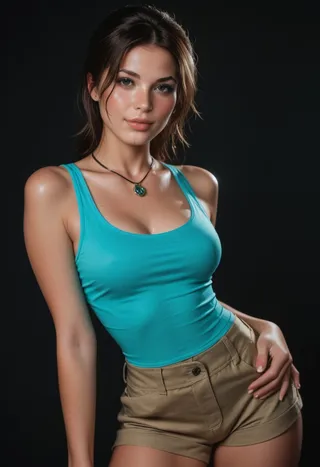

推奨プロンプト
score_9, score_8_up, score_7_up
推奨ネガティブプロンプト
CyberRealistic_Negative,CyberRealistic_Negative_Anime
CyberRealistic_Negative_PONY
推奨パラメータ
samplers
steps
cfg
clip skip
resolution
other models
推奨ハイレゾパラメータ
upscaler
upscale
steps
denoising strength
ヒント
Place the downloaded file in the embeddings folder (e.g., stable-diffusion-webui/embeddings for A1111 Webui).
Use the embedding by entering its name into the negative prompt box instead of a usual prompt.
Default embedding names: CyberRealistic_Negative or CyberRealistic_Negative_Anime.
バージョンのハイライト
Pony Version (V1)
クリエイタースポンサー
Want to buy me coffee? (Buy a cup)
Want to buy me coffee? (Buy a cup)
This Negative Embedding (TI) can assist you in achieving a more realistic portrayal when prompting.
Pony: for Realistic Pony (like CyberRealistic Pony, but it should work with every Realistic Pony model)
SDXL: for SDXL versions
Realistic 1.5: use standard version (V1.0)
Semi-Realistic/Anime 1.5: use Anime version
How to use
Download the file and place it in your embeddings folder. If you're using A1111 Webui, the folder path would be stable-diffusion-webui/embeddings (refer to the documentation to find the correct location for embeddings for other programs).
Once the file is in the designated folder, utilize the embedding by entering its name into the "negative prompt" box instead of the usual prompt. The default names are CyberRealistic_Negative, or CyberRealistic_Negative_Anime, depending on the version you downloaded.

モデル詳細
モデルタイプ
ベースモデル
モデルバージョン
モデルハッシュ
学習済みワード
作成者

ディスカッション
コメントを残すには log in してください。
モデルコレクション - CyberRealistic Negative - Pony v1.0

「CyberRealistic Negative - Pony v1.0 - v1.0」による画像
アニメ画像


フォトリアリズム画像


スタイル画像






